
Official Brat Green Color Code (HEX #8ACE00)
If you’re trying to recreate the viral Brat aesthetic, the first thing you need is the official Brat Green color code. That bright lime-green background has become one of the most recognizable design trends online. From TikTok edits and playlist covers to memes and custom wallpapers, this bold shade instantly stands out.
The good news is that you don’t have to guess the color anymore. In this guide, you’ll find the exact HEX, RGB, CMYK, HSL, and HSV values for Brat Green, along with practical design tips, matching color palettes, and advice for using it in Canva, Photoshop, Figma, and other popular design tools.
Whether you’re creating content for social media or designing your own Brat-inspired artwork, this guide has everything you need.
Brat Green Color Code (Quick Answer)
Need the color code right away? Here are the official values.
| Color Format | Value |
|---|---|
| HEX | #8ACE00 |
| RGB | 138, 206, 0 |
| CMYK | 33, 0, 100, 19 (Approximate) |
| HSL | 80°, 100%, 40% |
| HSV | 80°, 100%, 81% |
Copy the Brat Green Color Code
HEX: #8ACE00

RGB: 138, 206, 0

CMYK: 33, 0, 100, 19

HSL: 80°, 100%, 40%

HSV: 80°, 100%, 81%
Tip: If your design software only asks for one value, use HEX #8ACE00 for the closest match.
What Is Brat Green?
Brat Green is a bright lime-green color that became popular through the viral Brat design trend. Its clean background, bold typography, and simple layout quickly caught attention across social media.
Unlike many internet design trends that rely on complex graphics, the Brat style keeps things minimal. A solid green background paired with short, bold text is often all it takes.
This simplicity is one reason why the color has become so recognizable.
Today, creators use Brat Green for:
- Album cover edits
- TikTok thumbnails
- Instagram stories
- Spotify playlist covers
- YouTube thumbnails
- Wallpapers
- Posters
- Meme templates
- Profile pictures
- Digital artwork
Because the design is clean and high-contrast, it remains easy to read on both desktop and mobile devices.
Why Is Brat Green So Popular?
There are thousands of shades of green, so why did this one become famous?
The answer is simple.
Brat Green is bright enough to grab attention without becoming difficult to look at. It feels energetic, modern, and playful while still keeping the design clean.
When combined with bold lowercase text, it creates a style that people recognize immediately.
The color became popular because it is:
- Easy to recognize
- Perfect for minimalist designs
- Great for social media
- Highly visible on mobile screens
- Easy to pair with black or white text
- Simple enough for beginners to recreate
In today’s fast-scrolling social media feeds, bold colors often perform better than complicated graphics. Brat Green naturally attracts attention without needing extra effects.
Official Brat Green Color Values Explained
Different design software uses different color systems. Knowing each one helps you create consistent designs across websites, apps, social media, and print.
HEX Color Code
HEX: #8ACE00
HEX is the most common format for digital design. It’s used in:
- Websites
- Canva
- Figma
- Photoshop
- CSS
- Adobe Express
- Mobile editing apps
If someone asks for the Brat Green color code, they’re usually referring to this HEX value.
RGB Values
RGB: 138, 206, 0
RGB stands for:
- Red: 138
- Green: 206
- Blue: 0
This format is mainly used for digital screens.
Whenever you’re creating:
- Social media graphics
- Websites
- Videos
- Apps
- Online advertisements
RGB is one of the best choices.
CMYK Values
Approximate CMYK values are:
- Cyan: 33%
- Magenta: 0%
- Yellow: 100%
- Black: 19%
CMYK is designed for printing.
If you’re creating:
- Flyers
- Posters
- Stickers
- Business cards
- Brochures
it’s better to use CMYK instead of RGB.
Keep in mind that printed colors may look slightly different depending on your printer, paper, and ink.
HSL Values
HSL: 80°, 100%, 40%
HSL stands for:
- Hue
- Saturation
- Lightness
Many designers like using HSL because it’s easy to create lighter or darker versions of the same color without changing its overall appearance.
HSV Values
HSV: 80°, 100%, 81%
HSV stands for:
- Hue
- Saturation
- Value
It’s commonly used in advanced design software and color pickers when adjusting brightness.
Where Can You Use Brat Green?
One of the reasons this color has become so popular is its versatility It works well in almost every type of digital project.
Some of the most common uses include:
Social Media Posts
The bright background immediately grabs attention in crowded feeds.
Album Covers
Many creators recreate the minimalist Brat-inspired style for personal artwork and fan projects.
Playlist Covers
A clean green background with bold text creates an eye-catching playlist image.
YouTube Thumbnails
Bright colors often improve visibility in YouTube search results.
TikTok Covers
Short text on a Brat Green background is easy to recognize even on smaller screens.
Posters
Minimalist event posters often use this color to create a modern appearance.
Wallpapers
Many users enjoy simple wallpapers with motivational quotes or short phrases using the Brat color palette.
What Makes Brat Green Different From Other Greens?
At first glance, Brat Green might look similar to other lime shades. However, it sits in a unique position between neon green and chartreuse.
Unlike many fluorescent greens, it doesn’t feel overly harsh. It remains bright while still looking clean and balanced. That balance is one reason why it works so well for typography.
Best Text Colors for Brat Green
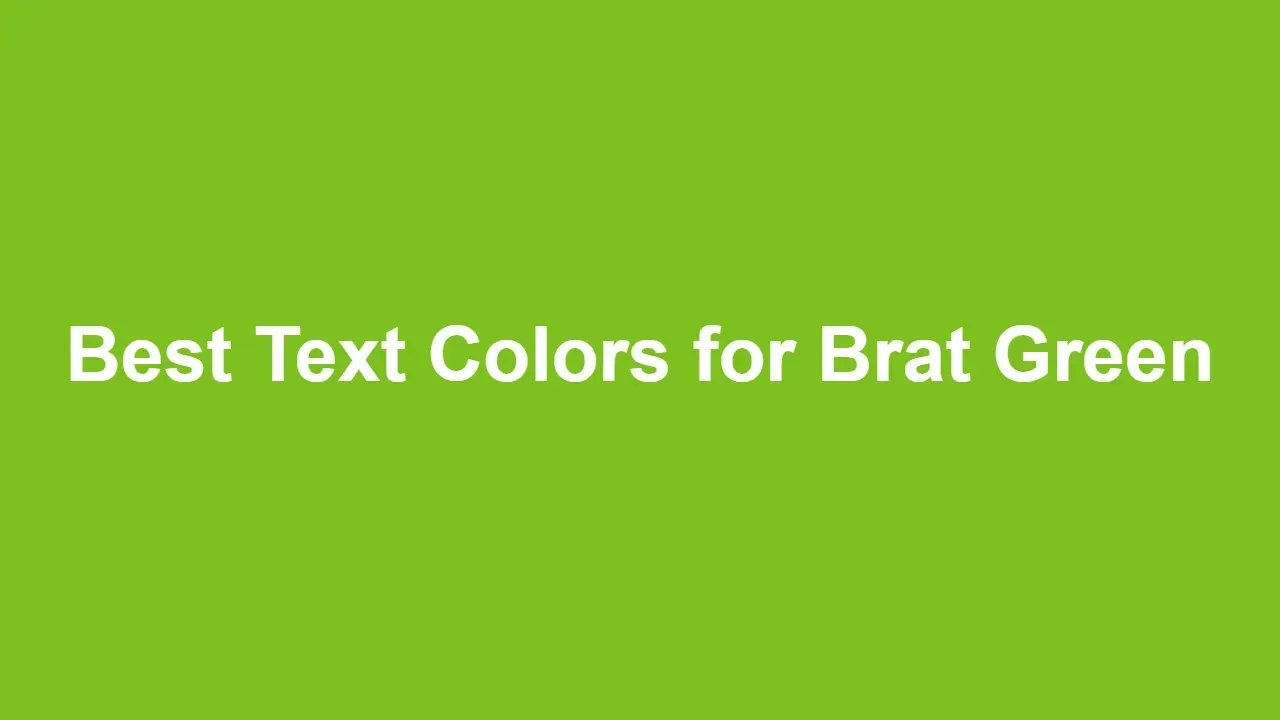
Choosing the right text color is just as important as choosing the background.
Black
★★★★★
Black creates the strongest contrast and is the most authentic choice.
White
★★★★☆
White works well for larger text but may become harder to read when using smaller fonts.
Dark Gray
★★★★☆
A softer alternative if pure black feels too strong.
Colors to Avoid
Avoid using:
- Light gray
- Bright yellow
- Light green
- Neon blue
These combinations reduce readability.
Accessibility Tips
A beautiful design should also be easy to read.
When using Brat Green:
✔ Use bold fonts.
✔ Keep plenty of spacing.
✔ Avoid long paragraphs on the green background.
✔ Choose high-contrast text.
✔ Make headings larger than body text.
These small adjustments make a big difference for readability.
Fun Facts About Brat Green
- It became one of the most searched design colors during the Brat trend.
- Its minimalist appearance helped it spread quickly across social media.
- Designers often recreate the style using only one background color and one font.
- The simplicity makes it easy for beginners to design professional-looking graphics.
- It has become a popular choice for memes, digital posters, and playlist artwork.
Create Your Own Brat Design in Seconds
Now that you have the official Brat Green color code, you don’t need to build every design from scratch.
If you want to create Brat-style text quickly, simply visit brat-text.com. The free online tool lets you generate clean Brat-inspired text designs in seconds. Just enter your text, customize the look, and download your design for social media, wallpapers, profile pictures, or creative projects.
Complete Brat Color Palette
Although Brat Green is the star of the design, using the right supporting colors helps create a clean and balanced look. The Brat aesthetic is all about simplicity, so you don’t need a large color palette. In most cases, two or three colors are enough.
Here’s a palette that works perfectly with Brat Green (#8ACE00).
| Color | HEX Code | Best Use |
|---|---|---|
| Brat Green | #8ACE00 | Main background |
| Black | #000000 | Headlines and body text |
| White | #FFFFFF | Alternative text color |
| Deep Black | #0B0B0B | Softer black for modern designs |
| Off White | #F8F8F8 | Clean backgrounds and accents |
| Neon Yellow | #E5ED23 | Small highlights |
| Purple Accent | #BA51B6 | Creative accent color |
The best Brat-inspired designs usually keep the palette simple. Too many colors can distract from the bold green background that defines the style.
Best Color Combinations with Brat Green
If you’re not sure which colors work best together, start with these combinations.
1. Classic Brat Style
- Background: #8ACE00
- Text: #000000
This is the most recognizable Brat design and works for almost every project.
2. Modern Minimal
- Background: #8ACE00
- Text: #0B0B0B
Using a slightly softer black creates a modern look while keeping strong contrast.
3. Clean and Bright
- Background: #8ACE00
- Text: #FFFFFF
White text works best for larger headings or short phrases. Avoid using small white text, as it may be harder to read.
4. Creative Style
- Background: #8ACE00
- Text: #000000
- Accent: #BA51B6
Adding a small purple accent can make your design feel more unique without losing the original Brat aesthetic.
Brat Green vs Similar Colors
Many people confuse Brat Green with other bright greens. While they may look similar at first, there are noticeable differences.
| Color | HEX | Appearance |
|---|---|---|
| Brat Green | #8ACE00 | Balanced lime green |
| Lime Green | #32CD32 | Darker and richer |
| Chartreuse | #7FFF00 | More yellow |
| Electric Lime | #CCFF00 | Extremely bright |
| Neon Green | #39FF14 | Highly fluorescent |
Brat Green sits between lime green and chartreuse, giving it a clean, modern appearance without looking overly fluorescent.
How to Use Brat Green in Canva
Canva is one of the easiest tools for creating Brat-inspired graphics.
Follow these simple steps:
Step 1
Create a new design.
Choose the correct size for your project.
Examples:
- Instagram Post – 1080 × 1080 px
- Story – 1080 × 1920 px
- YouTube Thumbnail – 1280 × 720 px
Step 2
Click on the background.
Open the color picker.
Paste this code:
#8ACE00
Step 3
Add your text.
The Brat style usually works best with:
- Short phrases
- Lowercase letters
- Bold fonts
- Center alignment
Step 4
Export your design as PNG for the best quality.
Using Brat Green in Photoshop
Adobe Photoshop gives you complete control over your design.
Step 1
Create a new document.
Step 2
Select the Background layer.
Step 3
Choose Edit → Fill.
Step 4
Enter:
#8ACE00
Step 5
Add your text using a bold sans-serif font.
Keep the layout clean and avoid unnecessary effects.
Step 6
Save your design as PNG.
How to Use Brat Green in Figma
Figma is perfect for UI designers and digital creators.
Simply:
- Select any shape.
- Open the Fill panel.
- Paste #8ACE00.
- Save it as a Color Style if you plan to reuse it.
This makes future projects much faster.
Using Brat Green in Adobe Illustrator
Illustrator is ideal for creating scalable graphics.
To apply Brat Green:
- Draw your shape.
- Open the Fill Color panel.
- Enter #8ACE00.
- Add your typography.
- Export as SVG, PDF, or PNG depending on your project.
Brat Green in Mobile Editing Apps
Most mobile editing apps now support HEX color codes.
You can use Brat Green in:
- Canva Mobile
- CapCut
- Adobe Express
- PicsArt
- PixelLab
- Phonto
Simply open the color picker and paste:
#8ACE00
If the app doesn’t support HEX values, choose the closest lime-green shade manually.
Best Fonts for the Brat Aesthetic
The color alone won’t recreate the Brat style.
Typography is equally important.
Popular font choices include:
- Arial Narrow
- Arial
- Helvetica
- Helvetica Neue
- Franklin Gothic
- Univers
- Akzidenz-Grotesk
When choosing a font:
- Use lowercase letters.
- Avoid script fonts.
- Keep the text bold.
- Don’t add heavy shadows.
- Keep spacing clean.
Best Image Sizes for Social Media
Using the right dimensions helps your graphics look sharp everywhere.
| Platform | Size |
|---|---|
| Instagram Post | 1080 × 1080 px |
| Instagram Story | 1080 × 1920 px |
| TikTok Cover | 1080 × 1920 px |
| YouTube Thumbnail | 1280 × 720 px |
| Pinterest Pin | 1000 × 1500 px |
| Facebook Post | 1200 × 630 px |
| X (Twitter) Post | 1600 × 900 px |
Pro Tips for Better Brat Designs
Want your designs to look more professional? Follow these simple tips.
Keep the text short.
One to four words usually work best.
Examples:
- brat energy
- stay loud
- not today
- iconic
- summer mood
Leave plenty of empty space.
The Brat aesthetic isn’t crowded. White space (or green space) helps the design feel modern.
Don’t over-edit.
Avoid:
- Heavy shadows
- Strong gradients
- Fancy textures
- Complex backgrounds
The cleaner your design looks, the closer it feels to the original style.
Stay consistent.
If you’re creating multiple posts, use the same:
- Green background
- Font
- Text alignment
- Margins
- Color palette
Consistency helps build a recognizable visual identity.
Brat Green PNG Backgrounds
Many people search for a Brat Green PNG because they want a ready-made background for social media posts, wallpapers, or album covers. The good news is that you don’t actually need to download a background image. Since Brat Green is a solid color, you can recreate it instantly by using the official HEX code #8ACE00 in any design tool.
If you do need a PNG file, create a new canvas, fill the background with #8ACE00, and export it as a PNG. This gives you a high-quality background that can be reused for future projects without losing image quality.
When Should You Use a PNG?
PNG is the best format when:
- You want sharp, clear text.
- You need a transparent background.
- You’re creating social media graphics.
- You plan to edit the design later.
- You want the highest image quality.
If file size is more important than image quality, JPG is another good option, but PNG is usually the better choice for Brat-inspired designs.
Best Export Settings
Using the right export settings ensures your design looks crisp on every platform.
For Social Media
- Format: PNG
- Quality: Maximum
- Resolution: 72 PPI
For Printing
- Format: PDF or TIFF
- Color Mode: CMYK
- Resolution: 300 DPI
For Websites
- Format: WebP or PNG
- Compression: Medium
- Optimize for web before uploading.
These settings help keep your colors vibrant while maintaining fast loading speeds.
Why Designers Love Brat Green
Designers appreciate Brat Green because it combines simplicity with impact.
Unlike many trendy colors that fade quickly, Brat Green works well across different platforms and design styles. It pairs beautifully with neutral colors, looks excellent on digital screens, and requires very little editing to create an eye-catching result.
Another advantage is consistency. By using the official color code, you can maintain the same look across your website, social media profiles, promotional graphics, and printed materials.
Final Thoughts
Brat Green has become one of the most recognizable colors in modern digital design. Its bold yet simple appearance makes it perfect for social media graphics, playlist covers, posters, wallpapers, and creative branding.
By using the official HEX #8ACE00, along with the correct RGB, CMYK, HSL, and HSV values, you can recreate the authentic Brat look with confidence. Pair it with clean typography, keep your layout minimal, and focus on high-contrast designs for the best results.
If you want to create Brat-inspired graphics quickly, brat-text.com makes the process simple. Instead of building every design from scratch, you can generate stylish Brat text in seconds and download it for your next creative project.
Whether you’re designing for fun, building content for social media, or working on a professional project, this guide gives you everything you need to use Brat Green effectively and confidently.
Frequently Asked Questions
What is the official Brat Green color code?
The official Brat Green color code is HEX #8ACE00. For digital projects, this HEX value provides the most accurate and widely supported color match.
What are the RGB, CMYK, and HSL values of Brat Green?
The official color values are:
- RGB: 138, 206, 0
- CMYK: 33, 0, 100, 19 (Approx.)
- HSL: 80°, 100%, 40%
These values help maintain consistent colors across digital and print projects.
Which font looks closest to the Brat style?
Simple sans-serif fonts such as Arial Narrow, Arial, Helvetica, and Helvetica Neue create the closest Brat-inspired appearance. Use bold, lowercase text for the best results.
Is Brat Green the same as Lime Green?
No. While both are bright green shades, Brat Green uses the official HEX #8ACE00, giving it a slightly different tone than standard Lime Green.
Can I use Brat Green in Canva, Photoshop, or Figma?
Yes. Simply paste #8ACE00 into the color picker of Canva, Photoshop, Figma, Illustrator, or most other design software to apply the official Brat Green.
What is the best file format for Brat-style graphics?
PNG is the best choice because it preserves image quality, keeps text sharp, and supports transparent backgrounds. For print projects, use PDF or TIFF with CMYK color mode.
Which text color works best with Brat Green?
Black text offers the highest contrast and creates the classic Brat look. White text also works for larger headings, but black is generally easier to read.
Can I use Brat Green for commercial projects?
Yes. Colors themselves are not protected by copyright. However, avoid copying copyrighted artwork, logos, or other protected visual elements when creating commercial designs.
Why does Brat Green look different on different screens?
Colors can vary depending on your monitor, phone display, brightness settings, and color profiles. Using the official HEX #8ACE00 helps achieve the most consistent appearance.
Where can I create Brat-style text online?
You can create Brat-inspired text quickly with brat-text.com. Simply enter your text, customize the design, and download your finished graphic in seconds.